Classic Solitaire
The solitaire you know, plus Spider, FreeCell and Pyramid.

About Classic Solitaire
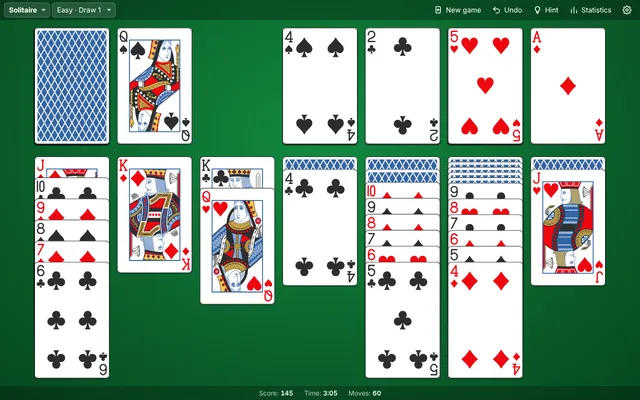
Classic Solitaire, nothing more and nothing less. Deal a game of Klondike and build the four suits up from Ace to King, with Draw 1 for a relaxed game and Draw 3 for a real challenge. The menu also holds the card games that always came with it: Spider with one, two or four suits, FreeCell with the classic numbered deals and fewer free cells for experts, and Pyramid, where you clear pairs that add up to 13. Drag the cards or just tap them, undo as often as you like, and your game is waiting when you come back.
- Klondike Solitaire with Draw 1 and Draw 3
- Spider with 1, 2 or 4 suits, FreeCell with 4, 3 or 2 free cells, and Pyramid with 1, 3 or unlimited passes
- The classic numbered FreeCell deals, so game #1 is the same everywhere
- A classic deck and recorded card sounds, with bouncing cards when you win
- Unlimited undo, hints, statistics for every game, and your game saved between visits
How to play
- Pick a gameChoose Solitaire, Spider, FreeCell or Pyramid at the top left, and a difficulty next to it.
- Build downIn the columns, stack cards in descending order. In Solitaire and FreeCell the colours alternate; in Spider any suit will do.
- Build upMove Aces to the foundations and build each suit up to the King. In Spider, a full King-to-Ace run of one suit clears itself.
- Use the deckTap the deck when you run out of moves. In Pyramid, clear two cards that add up to 13 (Jack 11, Queen 12) and Kings on their own.
Tips from the usta
- Turn over face-down cards first. A move that reveals a hidden card is almost always the best one.
- In Solitaire, only empty a column when you have a King ready to fill it.
- In Spider, build in one suit whenever you can. Mixed stacks can only be moved one card at a time.
- In FreeCell, keep free cells empty as long as you can. Every empty cell and column lets you move a longer run at once.
- Stuck? Press Hint to see a useful move, and Undo as often as you like.
Game Details
- Category
- Card & board
- Players
- 1 player
- Platforms
- Desktop, tablet and phone
- Language
- English, Turkish, German, French, Italian, Spanish, Portuguese, Dutch, Indonesian, Japanese, Korean and Tagalog
- Developer
- Ibrahim
- Released
- 2026-10-30
Controls
| Action | Touch | Keyboard |
|---|---|---|
| Move a card | Drag it, or tap it to send it to the best place | |
| Draw from the deck | Tap the deck | Space, D |
| Undo | Undo button | U, Ctrl + Z |
| Hint | Hint button | H |
| New game | New game button | N, F2 |