Sudoku
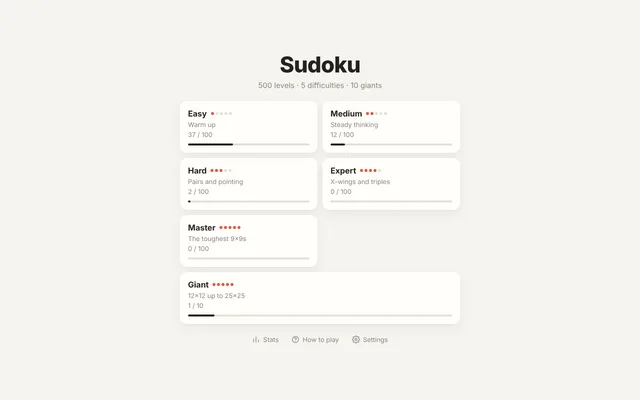
500 clean, hand-graded puzzles, from a gentle warm-up to giant 25×25 grids.

About Sudoku
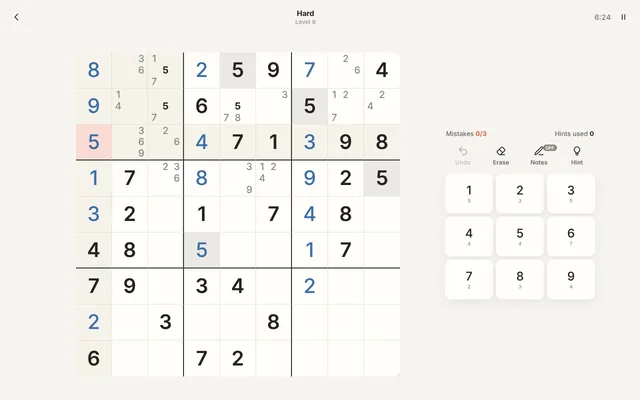
A calm, minimal sudoku with nothing in the way. Fill the grid so every row, column and box holds each number once. There are 500 levels in five difficulties, from Easy to Master, and every puzzle has exactly one solution and is graded by the techniques it takes, so each level is a little harder than the last. When the 9×9 grids get too small, try the ten giant levels: 12×12, 16×16, 20×20 and 25×25 grids that use letters after 9. Pencil in notes, undo any move, ask for a hint, and earn up to three stars for a clean solve. Your progress saves itself, and the game speaks all twelve languages of the site.
- 500 levels in five difficulties, from Easy to Master
- Ten giant levels on 12×12, 16×16, 20×20 and 25×25 grids
- Every puzzle has exactly one solution and is graded by the techniques it needs
- Notes, undo, hints, matching-number highlights and full keyboard play
- Stars, best times and stats, saved on your device as you play
How to play
- Pick a levelChoose a difficulty, then a level. Solving one opens the next ones.
- Fill the gridTap a square, then a number. Every row, column and box needs each number once.
- Take notesTurn on Notes to pencil in the numbers a square could be. Placing a number clears it from nearby notes.
- Earn three starsNo mistakes and no hints earn three stars. Three mistakes end the level, unless you turn the limit off.
Tips from the usta
- Start with the number that already appears most often. It has the fewest places left to go.
- If a number can only go in one square of a row, column or box, it goes there, even when that square has other options.
- From Hard onwards, fill in notes. When two squares in a box share the same two numbers, those numbers can go nowhere else in that box.
- On giant grids, zoom in and work one box at a time. The letters run in order, so A comes right after 9.
Game Details
- Category
- Puzzle
- Players
- 1 player
- Platforms
- Desktop, tablet and phone
- Language
- English, Turkish, German, French, Italian, Spanish, Portuguese, Dutch, Indonesian, Japanese, Korean and Tagalog
- Developer
- Ibrahim
- Released
- 2026-10-31
Controls
| Action | Touch | Keyboard |
|---|---|---|
| Fill a square | Tap a square, then a number | 1 – 9, A – P |
| Move | Tap a square | ←, ↑, →, ↓ |
| Notes | Notes button | N |
| Erase, undo and hint | Buttons above the numbers | Backspace, Ctrl+Z, H |
| Pause | Pause button | P, Esc |